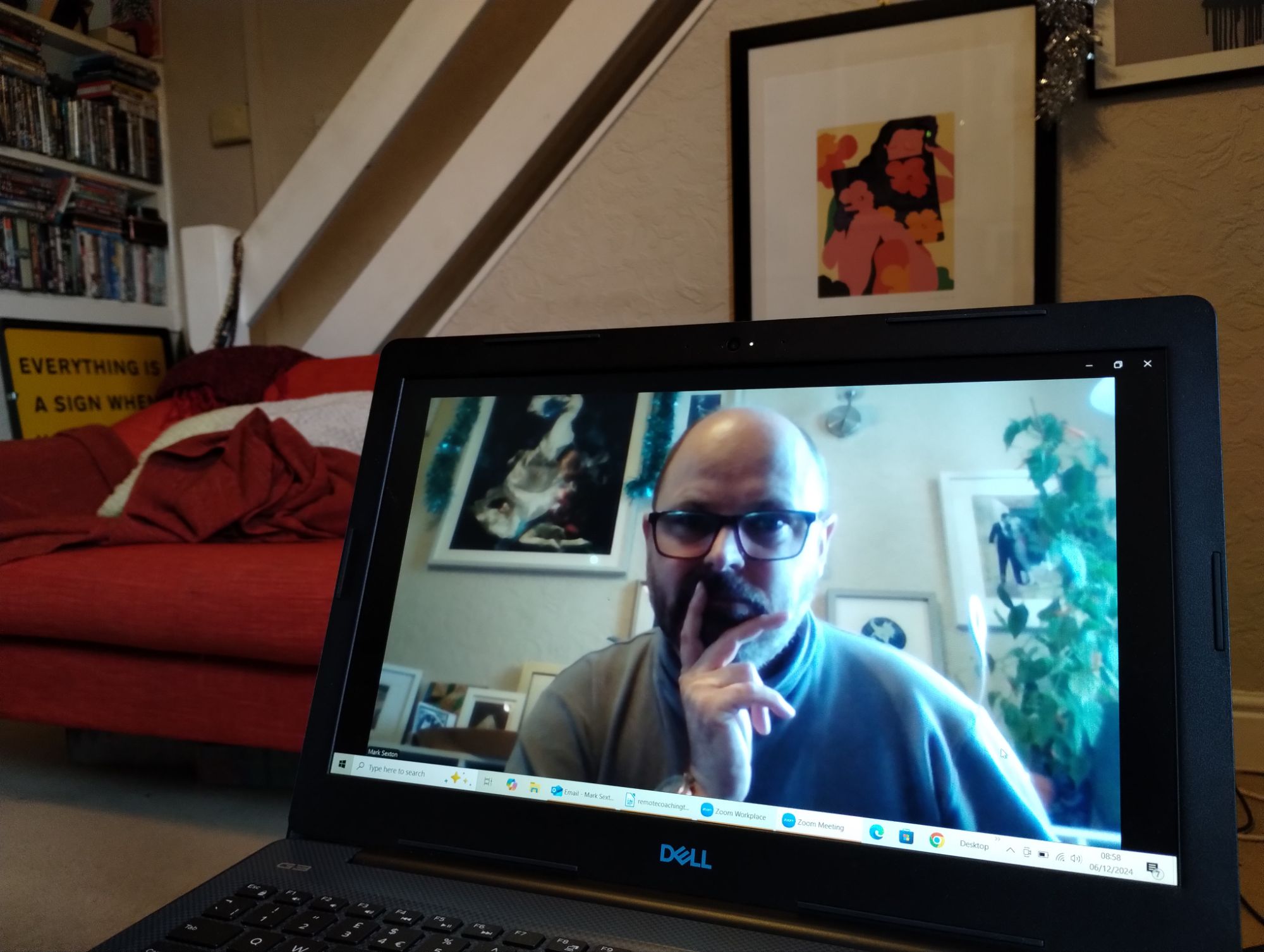
Quick end of the week quiz – when I was researching far and wide for tools, techniques and tips to maximise the effectiveness of coaching via Teams back in May 2020, what was the single most useful (and unlikely) source of absolutely wonderful advice?
(I’ll pop the answer at the end, to give you chance to have a ponder – or for fans of When Harry Met Sally)

Data from the 2021 global coaching survey indicated that more than 80% of coaches are now conducting sessions online, a trend that accelerated rapidly over the course of the pandemic, but that has shown no signs of reversing. I think it surprised a lot of us quite how effective and convenient (for the coach and the client) remote coaching could be. Not only does it widen the pool of choice for clients, it also allows coaching to be slotted in more conveniently into all our busy schedules. Nevertheless, there are a whole bundle of differences and pitfalls that we have needed to navigate to ensure that the work could be carried out effectively, and that it’s useful to revisit from time to time to avoid complacency.
Here’s the top tips and takeaways that I collated for the CPD that we ran.
Setting up (physical environment)
1. Aim for an uncluttered background – the focus of the person dialling in should not be diverted by stuff (or things going on) behind you. Most videocall applications now have the option to blur out the background, if you’re not physically able to clear the space. Do not use a funny/distracting photo for the background. Also avoid animated ones (windy beach scenes etc.) as movement will also distract the eye.
2. Lighting – avoid backlighting or any harsh lighting in the background. The camera will look to balance exposure and so you will end up looking like a silhouette (or even more distractingly fading in and out of focus/lighting). (You might need to partially draw curtains during the call).
3. Set the camera at eye-level – having the camera set at eye level, psychologically sends the message that you are peers. Most of us are now looking slightly down at our laptops, which traditionally appears condescending (and in addition, is rarely flattering).
4. Aim for a private space – trying to ensure that the space you are in is reasonably private remains important. This dovetails into the reassurances about confidentiality. If longer sessions in a private space are not possible, it might be better to break the sessions into a number of smaller stints.
5. Avoid distracting noises – if your working environment is noisy, then it might be better to use a headset or directional microphone to ensure that there isn’t sound clutter.
6. Don’t sit too close or too far away to the camera – the coachee still needs to be able to see your face and expressions and body language. They don’t need to be able to count your nasal hair.
7. Trial run – rather than trying to sort all of this out during the call, spend some time during a coffee break or with a friend fine tuning this ready for your session.
Top takeaway:
Spending time experimenting with your setup with friends or colleagues in a teabreak or non-business call is the perfect way to find out what works, what doesn’t and to hear honestly and safely what tweaks you can make to improve your setup.
Body Language, posture and poses
1. Don’t stare at the screen – in real life, we don’t sit about a foot from the person we’re talking to and stare at them, in that pose, for the duration of the conversation. The Surface Pro (or laptop), should be a proxy for the coachee’s head. In the same way that, if you were having a conversation, you would look away to the side while you’re talking (quite regularly) you should aim to do the same in a virtual space. When the coachee is talking, ensure you’re mostly looking at the screen. When you’re talking, you can look off while you’re thinking, but return eye contact for the salient points.
2. Move – the internet connections can be flaky. If you are Zen-like in your stillness then the person on the other end of the call might think the connection has frozen (many programs will save bandwidth by freezing a picture if movement is minimal). Body language is still hugely important.
3. Make a cup of coffee – or tea. Having a prop or something to occupy your hands can be useful.
4. Use the space – lean forward to demonstrate when you’re interested. Lean backwards to give people space to explore their thoughts. Nod to show you’re listening. Tilt your head to question what you’re being told. Body language is still a huge part of communication.
5. The camera doesn’t have to be static – at the start or the end of the session, if you’re comfortable doing so, you can show your guest around the space you’re in. This can help, mentally, place you both in the same environment and helps build rapport.
Top takeaway:
Without getting overly self-conscious about it, explore getting into new habits in your videoconferencing. What might feel a bit unnatural at first will become second nature as you (and your coachees) get used to the modified body language of remote conferencing. The effort that you expend on this will pay dividends in future calls.
Preparation and the opening 5 minutes
1. Test the system before you start – get as comfy with the technology as you can before you start. You want the tech to be as transparent (invisible) as possible.
2. Close Outlook – shut down any superfluous apps – this will help the video connection (as the programs are quite resource hungry) and also reduce the chances of you getting distracted during the conversation.
3. Settling in – use the opening minutes of the conversation to ‘check-in’ with the coachee, about their environment and technology, setting the scene and the tone.
4. Care about your communication – as with face-to-face meetings (or those over the phone) your voice and expressions are the biggest influence in developing rapport. Make sure you’ve noted and are prepared for any potential trip-wires (for yourself or for the person you’re meeting).
5. Contracting – always an essential part of coaching, make sure that at the start of the coaching proper, you set out (informally, if you’ve met before) the timings of the session, the ground rules and what the aims of the session will be. Revisit this during the session to keep things on track.
Top takeaway:
Scheduling the session and a willingness to check back on the initial ‘contracting’ or agreement is a great way to make sure that the pacing of it is right and that it feels productive to your coachee (and yourself).
Building rapport (remotely)
1. The ways of building rapport remotely are, (with some tweaks), exactly the same as the ways of doing this face to face:
2. Active listening – in a section of conversation, try to summarise and clarify the coachees thoughts by repeating back the three most important words of what they just said.
3. Give the coachee space to explore their thoughts on a subject using silence (and encouraging body language)
4. Label what you are seeing/hearing from them: “It sounds like you’re finding this tough?”, “It looks to me like you are not comfortable with this balance, is that right?”
5. Mirror body language/voice speed/tone/language – matching (subtly) the speed/tone/posture/words of your coachee is another way of showing that you’re on the same wavelength.
6. Try not to interrupt – this can be tricky with the lag on videocalls, but you can signal when you’re about to talk by leaning forward/slightly raising your hand/signalling it subtly a second or two before you are about to speak.
Top takeaway:
Your coachee will take their cues from you. Making sure that you are as comfortable as possible and that you’re properly using your rapport building skills will help to improve the session immeasurably. Similarly, if you notice that a session is going off-piste and you are getting stressed, take 5 minutes to realign.
Wrapping up
1. Keep an eye on the timings of the meeting – look to pace the meeting so that it doesn’t run over time or get cramped at the end (look to be wrapping up at least 5-10 minutes from the endpoint).
2. Use re-contracting to keep things on track – having contracted for what you’ll be focussing on at the start of the session, revisit what you agreed at points during the session to ensure that you’re still aligned, or so that you can refocus on something practical in the time remaining (what you’ll cover today, what you’ll hold over to next time)
3. After concluding check what worked and what didn’t – giving yourselves a few minutes at the end of the session to check in with the coachee on any practicalities or aspects of the session which jarred for them will allow you to prepare more effectively for next time.
4. Providing gaps between meetings is important – as we’ve moved to increasing videoconferencing there’s the potential for you to be sitting in the same chair for the whole morning/afternoon without moving. It can help to factor ‘walking time’ away from your screen between meetings to regain focus & have a screen break.
Top takeaway:
Opening up with a coachee at the conclusion of a session (and giving yourself time to do so) is another great way of building rapport – letting them know what you struggled a bit with through the technology and inviting them to share their experiences with that too is a really handy way to improve things for the next time, show them that your care about making the sessions work and bring to the surface issues that are preventing the communication channel becoming ‘transparent’.
Finally – there’s not one set of rules as each circumstance is different. At the end of a coaching conversation make a quick note of what worked/what didn’t and refresh your memory before your next meeting. It’s also a good thing to explore in supervision.
And… where did I find the best advice? Weirdly it was from crisis negotiators (eg. hostage negotiation). There’s some really nifty articles online on the subject, and, when you think about it, it makes sense. If you’ve only got minutes, or seconds, to make a connection, then that becomes a critical part of the process.
It’s still important in workplace coaching too, naturally, but thankfully not as urgently high stakes if we don’t get it right the first time.